💼Sprzedaż i klienci
📊
CRM i zarządzanie sprzedażą
🧾
Fakturowanie i rachunki
🛒
E-commerce i sklepy
🏪
POS i sprzedaż detaliczna
📈
Prognozowanie sprzedaży
📣Marketing i wzrost
📧
Email marketing
⚙️
Marketing automation
🔍
Narzędzia SEO
📱
Social media
🎯
Landing pages i CRO
📉
Analityka www
👥Praca i zespół
📋
Project management
💬
Komunikacja zespołu
👤
HR i kadry
🔎
Rekrutacja i ATS
📚
E-learning i szkolenia
⏱️
Zarządzanie czasem
☁️Technologia i IT
🛡️
Antywirus i bezpieczeństwo
🔒
VPN i sieci
☁️
Cloud i hosting
⚙️
DevOps i CI/CD
📡
Monitoring i APM
🔑
Menedżer haseł
🤖AI i automatyzacja
💬
AI chatboty i asystenci
✍️
AI do tworzenia treści
🖼️
AI do obrazów i grafiki
🔄
Automatyzacja workflow
🧩
No-code / Low-code
📊
AI do analizy danych
🔥 Popularne teraz:CRMEmail marketingNarzędzia SEOAI chatbotyProject managementFakturowanieZobacz wszystkie 83 kategorie →
💼CRM i sprzedaż
↩️
Alternatywy dla HubSpot
↩️
Alternatywy dla Pipedrive
↩️
Alternatywy dla Salesforce
↩️
Alternatywy dla Zoho CRM
📣Marketing i SEO
↩️
Alternatywy dla Semrush
↩️
Alternatywy dla Mailchimp
↩️
Alternatywy dla Ahrefs
↩️
Alternatywy dla GetResponse
🗂️Produktywność
↩️
Alternatywy dla Notion
↩️
Alternatywy dla Asana
↩️
Alternatywy dla Slack
↩️
Alternatywy dla Zoom
🔐IT i bezpieczeństwo
↩️
Alternatywy dla Bitdefender
↩️
Alternatywy dla LastPass
↩️
Alternatywy dla Zapier
↩️
Alternatywy dla Monday
Zobacz wszystkie alternatywy →
🔥Najczęściej porównywane
HubSpot vs Pipedrive
Semrush vs Ahrefs
Notion vs ClickUp
Zoom vs Google Meet
Shopify vs WooCommerce
📊CRM i sprzedaż
↔️
HubSpot vs Salesforce
↔️
Pipedrive vs Zoho CRM
↔️
Freshsales vs HubSpot
↔️
Monday CRM vs Pipedrive
📣Marketing i SEO
↔️
Mailchimp vs GetResponse
↔️
Semrush vs Moz
↔️
ActiveCampaign vs Mailchimp
↔️
Surfer vs Semrush
Produktywność
↔️
Notion vs Obsidian
↔️
Asana vs Monday
↔️
Slack vs Teams
↔️
Figma vs Adobe XD
🔀 Porównaj dowolne dwa programy →
💼Biznes i sprzedaż
📊
CRM
od 0 PLN
👤
HR i kadry
od 0 PLN
🧾
ERP systemy
od 0 PLN
📑
Fakturowanie
od 0 PLN
💰
Payroll
od 0 PLN
🏢
Zarządzanie nieruchomościami
od 0 PLN
📣Marketing i produktywność
📧
Email marketing
od 0 PLN
🔍
Narzędzia SEO
od 0 PLN
📋
Project management
od 0 PLN
💬
Komunikacja zespołu
od 0 PLN
📱
Social media
od 0 PLN
🎓
E-learning (LMS)
od 0 PLN
🤖AI i technologia
🤖
AI Chatboty
od 0 PLN
✍️
AI do pisania
od 0 PLN
🎬
AI do video
od 0 PLN
🖼️
AI generowanie obrazów
od 0 PLN
🔐
Antywirus i endpoint
od 0 PLN
🌐
VPN dla firm
od 0 PLN
💰Znajdź wg budżetu
🆓
Darmowe programy
💚
Do 100 PLN/mies.
💛
100–500 PLN/mies.
📊
Wszystkie kategorie
Wszystkie porównania cen →
💼Biznes
🆓
Darmowy CRM
🆓
Darmowe fakturowanie
🆓
Darmowy helpdesk
🆓
Darmowe HR
📣Marketing
🆓
Darmowy email marketing
🆓
Darmowe narzędzia SEO
🆓
Darmowe social media
🆓
Darmowa analityka
🗂️Produktywność
🆓
Darmowy project management
🆓
Darmowa komunikacja
🆓
Darmowe wideokonferencje
🆓
Darmowe narzędzia AI
🔐IT
🆓
Darmowy antywirus
🆓
Darmowy VPN
🆓
Darmowy menedżer haseł
🆓
Darmowy backup
Wszystkie darmowe programy →
🏢Według firmy
🚀
Dla startupu
🏘️
Dla małej firmy
🏢
Dla MŚP
🏗️
Dla enterprise
💼
Dla freelancera
🎯Według branży
📣
Dla agencji marketingowej
🛒
Dla e-commerce
☁️
Dla SaaS
🤝
Dla NGO
🍽️
Dla gastronomii
👤Według roli
📣
Dla marketera
📊
Dla sprzedawcy
💻
Dla programisty
👥
Dla HR managera
👑
Dla CEO/właściciela
💰Według budżetu
🟢
Stack za 0 PLN
💛
Stack do 500 PLN/mies
🟠
Stack do 2000 PLN/mies
🔴
Stack enterprise
Znajdź oprogramowanie dla siebie →
💼Sprzedaż i biznes
📊
Jak wybrać CRM
🧾
Jak wybrać program do fakturowania
📒
Jak wybrać program księgowy
🛒
Jak wybrać platformę e-commerce
💰
Jak wybrać system payroll
📣Marketing i sprzedaż
📧
Jak wybrać email marketing
🔍
Jak wybrać narzędzia SEO
📱
Jak wybrać social media tools
🎯
Jak wybrać helpdesk
👥Praca i zespół
👤
Jak wybrać HR i kadry
📋
Jak wybrać project management
💬
Jak wybrać komunikację zespołu
🔎
Jak wybrać system ATS
⏱️
Jak wybrać time tracking
🤖AI i technologia
💬
Jak wybrać chatbota AI
✍️
Jak wybrać AI do pisania
🎬
Jak wybrać AI do wideo
🛡️
Jak wybrać antywirus
Wszystkie poradniki →
Postmark logo
Email marketing

Postmark — recenzja 2026

Trial 14 dni

Postmark — recenzje, ceny i opinie użytkowników.

Aktualizacja
czerwiec 2026
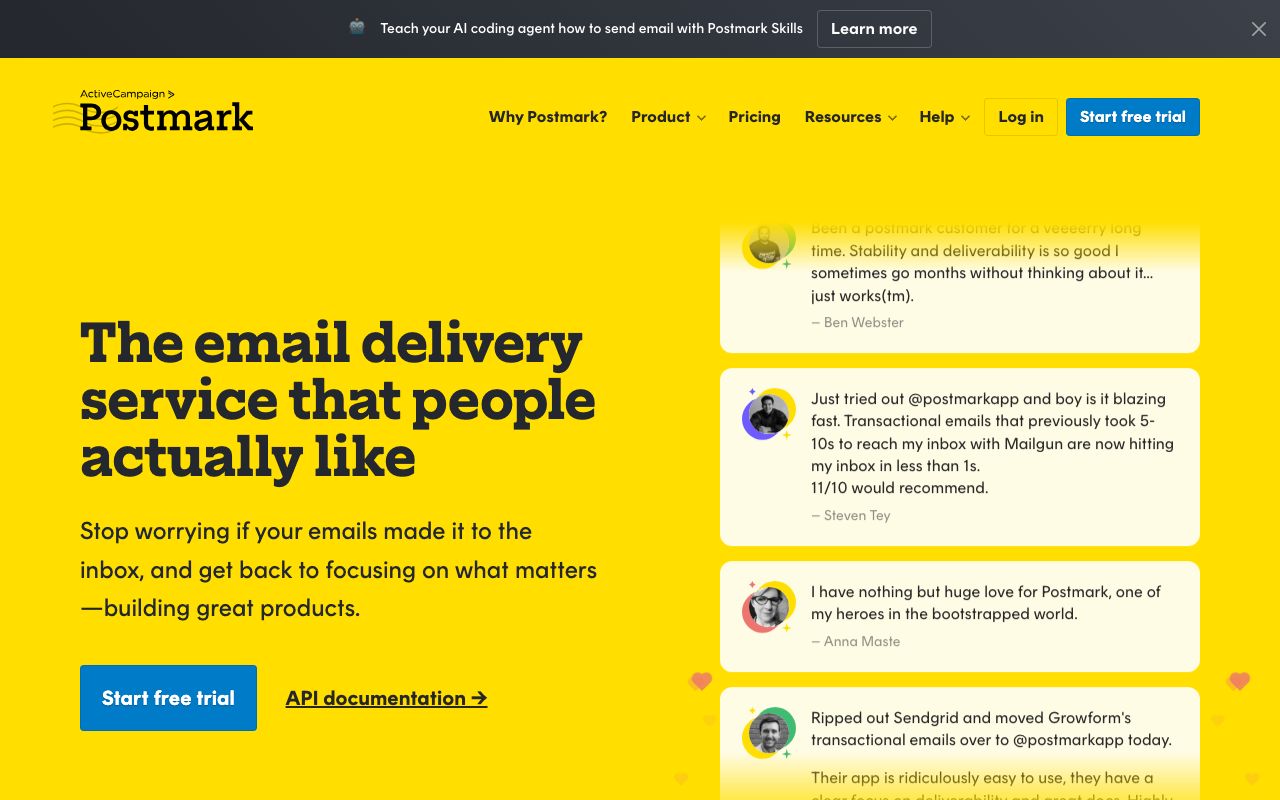
Postmark — zrzut ekranu interfejsu

Ocena redakcji RankingProgramów

Łatwość użycia
8.0
Cena-jakość
7.5
Funkcjonalność
8.5
Wsparcie
8.0
Integracje
6.0
Ocena łączna
★★★★/5

Opinie użytkowników

4 recenzji

4.0
★★★★
0 recenzji
5
3
4
0
3
0
2
0
1
1
U
Użytkownik
★★★★★
5.0/5
I started using Postmark after ChatGPT…

I started using Postmark after ChatGPT suggested it for several SaaS applications I was building with Lovable. At first, I was mainly looking for inbound message processing: the ability to send an email to a specific address and have the message data forwarded to a webhook in Lovable. That makes it possible to process, archive, or handle incoming emails automatically inside the app. Later, I also started using Postmark for transactional outbound emails, and I have been very happy with it. What I especially like is how well organized Postmark is. You can create separate server-like workspaces for each SaaS project, which is perfect for me because it keeps each application’s email delivery, statistics, and configuration clearly separated. Overall, Postmark fits my needs very well and has become a very useful tool in my SaaS workflow.

U
Użytkownik
★★★★★
5.0/5
From nightmare deliverability to 100% inbox — in one switch

We used SendGrid for 6 months and it was a constant headache. Our welcome emails, order confirmations, and even password reset emails were either landing in spam or getting outright blocked by Hotmail. Our clients were frustrated, and so were we. SendGrid's only solution? Purchase a dedicated IP for $30 USD/month on top of our API costs — completely unreasonable for roughly 1,000 emails a month. After some research, we discovered Postmark and decided to give it a try. Within 3 days, every single email we sent landed directly in the inbox — 100% deliverability. For $15/month (cheaper than SendGrid), the quality is on another level. Yes, Postmark is strict about commercial/bulk emails, but that's exactly the point. By keeping spammers off the platform, they protect deliverability for legitimate senders like us who rely on shared IPs. That strictness is a feature, not a limitation. The API migration from SendGrid was straightforward — minimal code changes on our backend. If you're a small
U
Użytkownik
★★★★★
5.0/5
Very fast approval

I have tried using MailJet and AmazonSES before postmark and the customer service is very slow. I set up postmark and got my domain approved to send email on the same day. Customer service is amazing.

Powiązane strony

FAQ — często zadawane pytania

Ile kosztuje Postmark?
Postmark kosztuje od ? PLN miesięcznie.
Czy Postmark ma darmową wersję?
Postmark nie ma stałego planu darmowego, ale oferuje 14-dniowy trial bez karty kredytowej.
Dla jakich firm jest Postmark?
Postmark sprawdza się najlepiej w małych i średnich firmach (1–500 pracowników), agencjach marketingowych i zespołach sprzedaży B2B. Dzięki darmowemu planowi jest idealny na start.
Jakie są alternatywy dla Postmark?
Popularne alternatywy to: Mailchimp, GetResponse, Cloud Campaign. Każda z nich ma inne mocne strony — sprawdź nasze porównania.
Czy Postmark działa po polsku?
Postmark działa głównie w języku angielskim.
Gotowy żeby przetestować Postmark?
14-dniowy trial bez zobowiązań.
Wypróbuj Postmark

Dane aktualizowane automatycznie. Zawsze weryfikuj aktualną cenę i specyfikację na stronie producenta.